

Connect the shopper journey through entry touchpoints, Ollie assistance, Neo Lite checkout and store monitoring workflows.
Veea × TROLLEE · Unmanned store
Keep the store open.
Keep support within reach.
Give convenience shoppers more hours to shop, with less reliance on a full overnight store team. Veea and TROLLEE bring together verified entry, AI assistance, self-checkout and remote oversight to support after-hours retail.
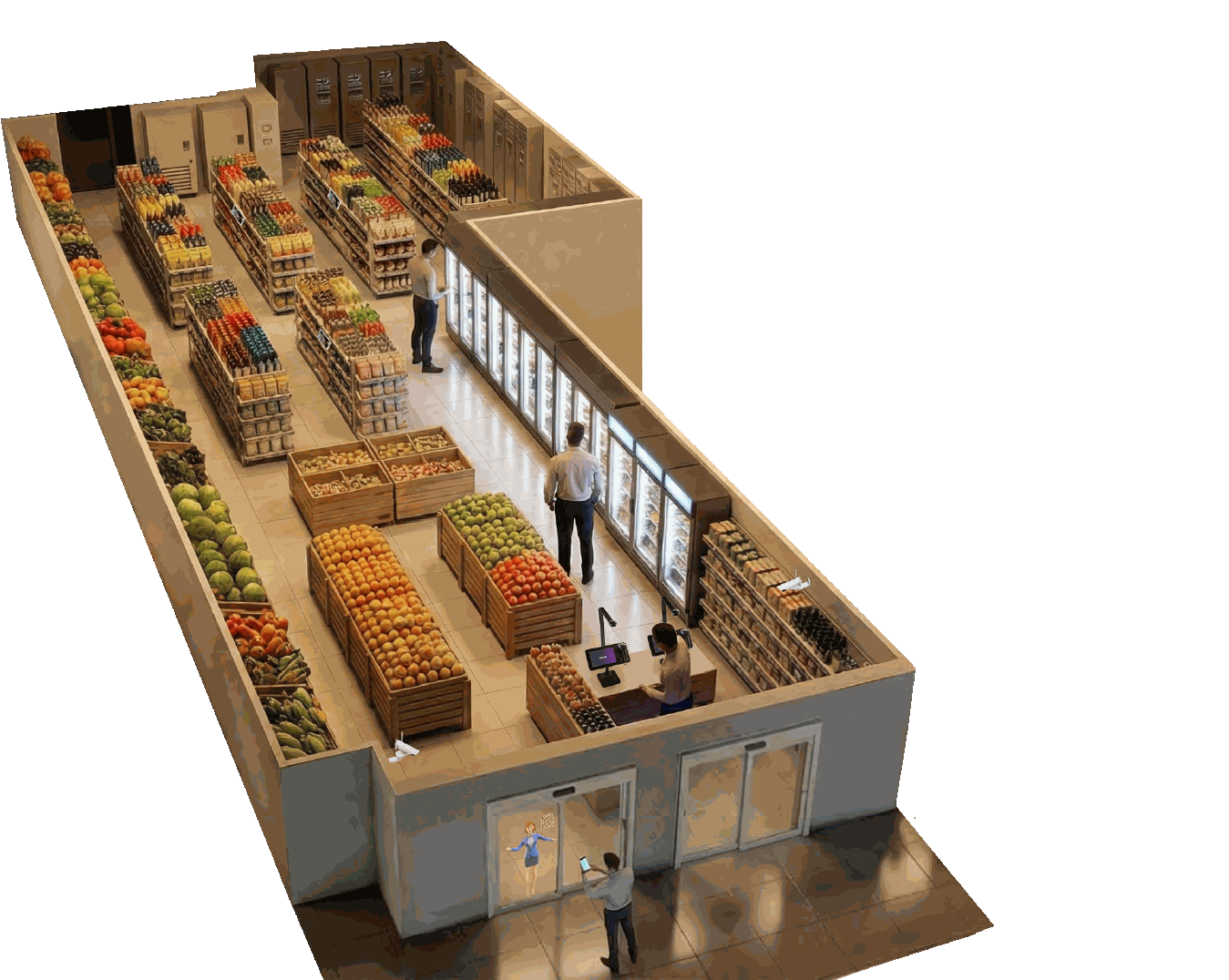
Verified entryAccess confirmed
Ollie assistanceFinding an item
Neo Lite checkoutBasket verified
Remote monitoringStore connected
One store. Two operating modes.
Staffed by day.
Supported after hours.
Store operating mode
Click to compare
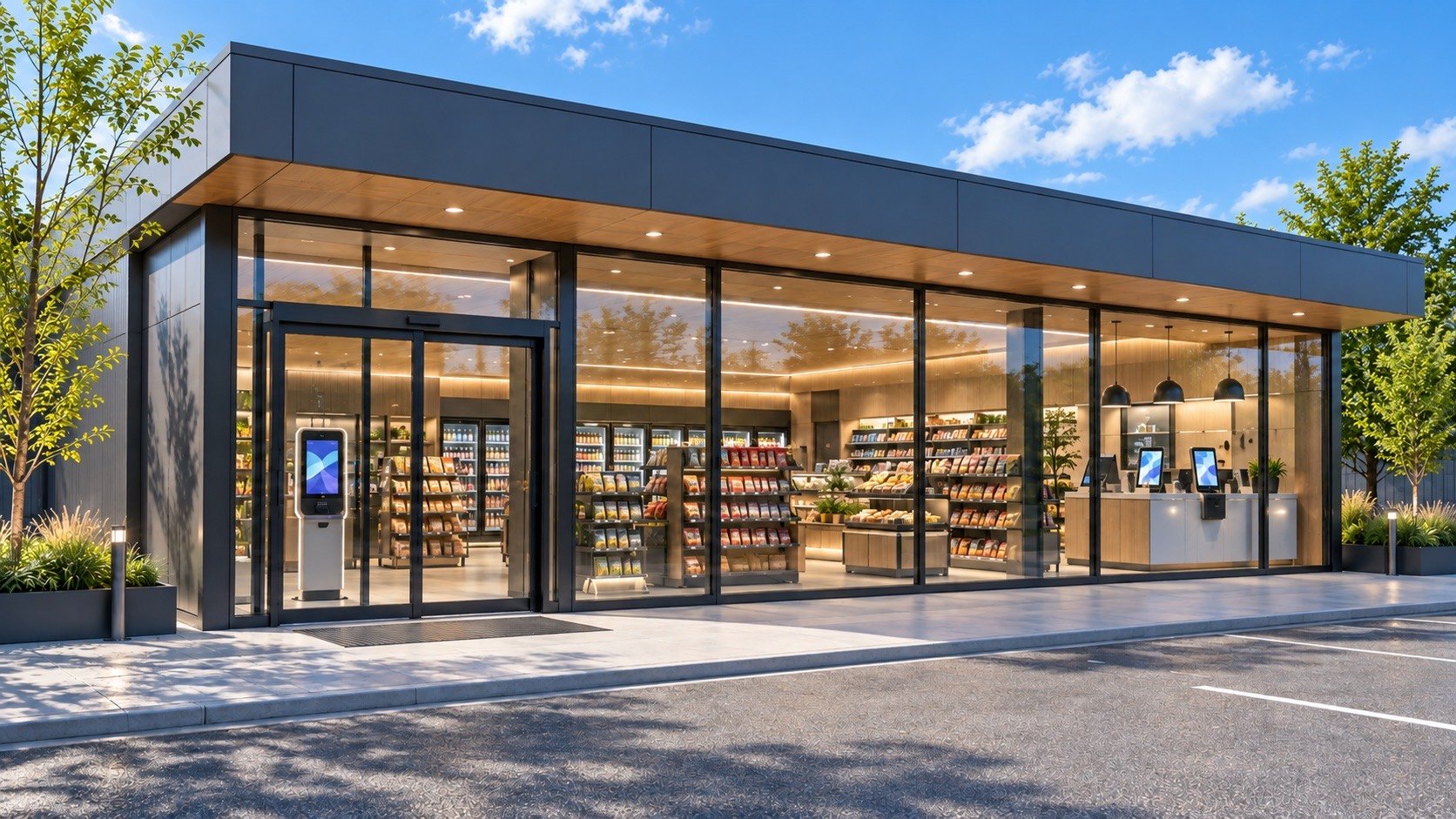
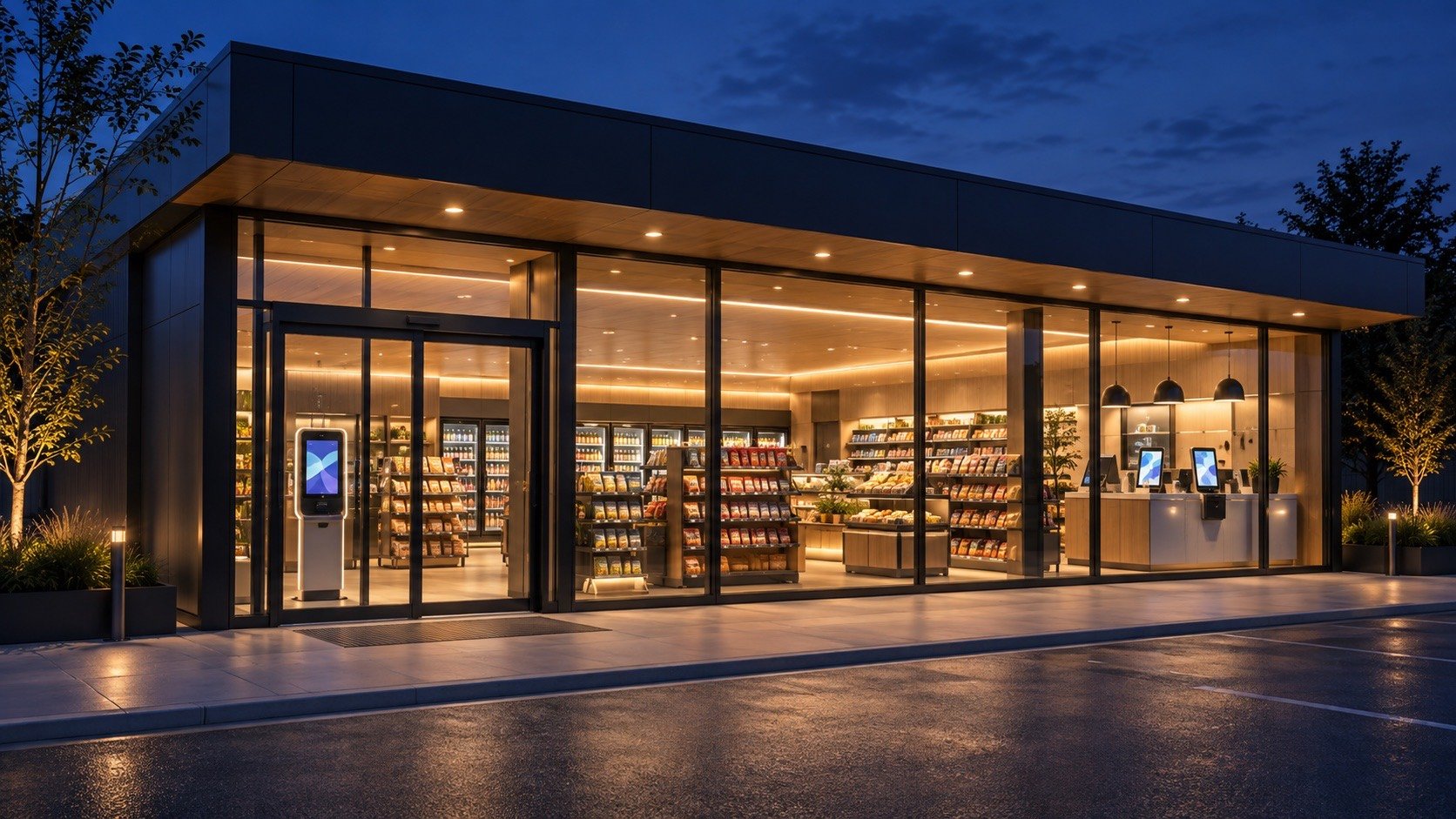
Staffed hours
After-hours mode
14:00 Local store time
23:30 Local store time
Choose a touchpoint to explore
The familiar staffed day.
Open entry, a team on the floor, and a choice of assisted or self-service checkout.
After hours. Still connected.
Verified entry, AI shopping assistance, cashless self-checkout and access to remote support.
Explore a touchpoint
01 / Entry
Walk in. Start your shop.
During staffed hours, customers enter freely. Store colleagues are available for a familiar shopping experience.
02 / Assistance
A team on the floor.
Colleagues answer questions and help customers find what they need, supported by AI shopping assistance.
03 / Checkout
Choose how to check out.
Staff-assisted checkout and self-service options support the daytime shopping experience.
04 / Oversight
The team sees the store.
Store colleagues oversee everyday operations, replenish shelves and respond to customer needs.
01 / Entry
A guided arrival after hours.
The entrance display introduces night-mode shopping. Customers use the configured verification method before access is granted.
02 / Assistance
Independent doesn't mean alone.
Ollie helps with product discovery and common questions. Checkout and intercom touchpoints provide a path to remote assistance.
03 / Checkout
Scan. Pay. Complete your visit.
Customers use cashless self-checkout. Configured scan checks can flag potential mismatches for correction or remote review.
04 / Oversight
Keep the store within reach.
Remote teams can review configured camera feeds and alerts, assist shoppers and retain event history across supported stores.
EntryOpen access
AssistanceStore colleagues + AI
CheckoutAssisted or self-service
OversightOn-site team
EntryVerified access
AssistanceAI + remote assistance
CheckoutCashless Neo Lite checkout
OversightRemote monitoring
01
Stay open longer.
Serve late-shift workers, nearby residents and shoppers who arrive after your staffed hours end.
02
Rethink overnight
Rethink overnight
staffing.
Combine self-service with AI guidance and shared remote support. Keep replenishment, maintenance and response responsibilities clearly assigned.
03
Keep visibility
Keep visibility
across stores.
Bring store views, checkout alerts and response history together so remote teams can support more than one location.
The after-hours shopper journey
A few essentials.
A familiar kind of easy.
A shopper arrives after staffed hours. They need a clear way in, help finding an item, a straightforward checkout and a way out.
01
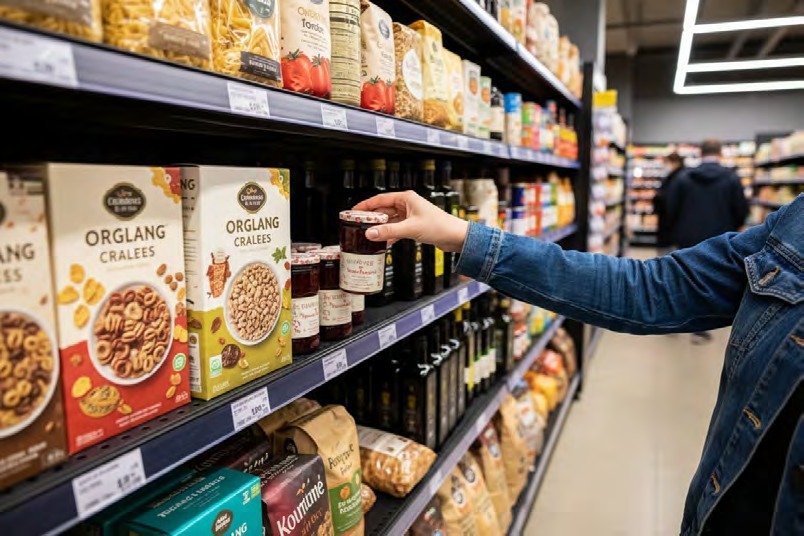
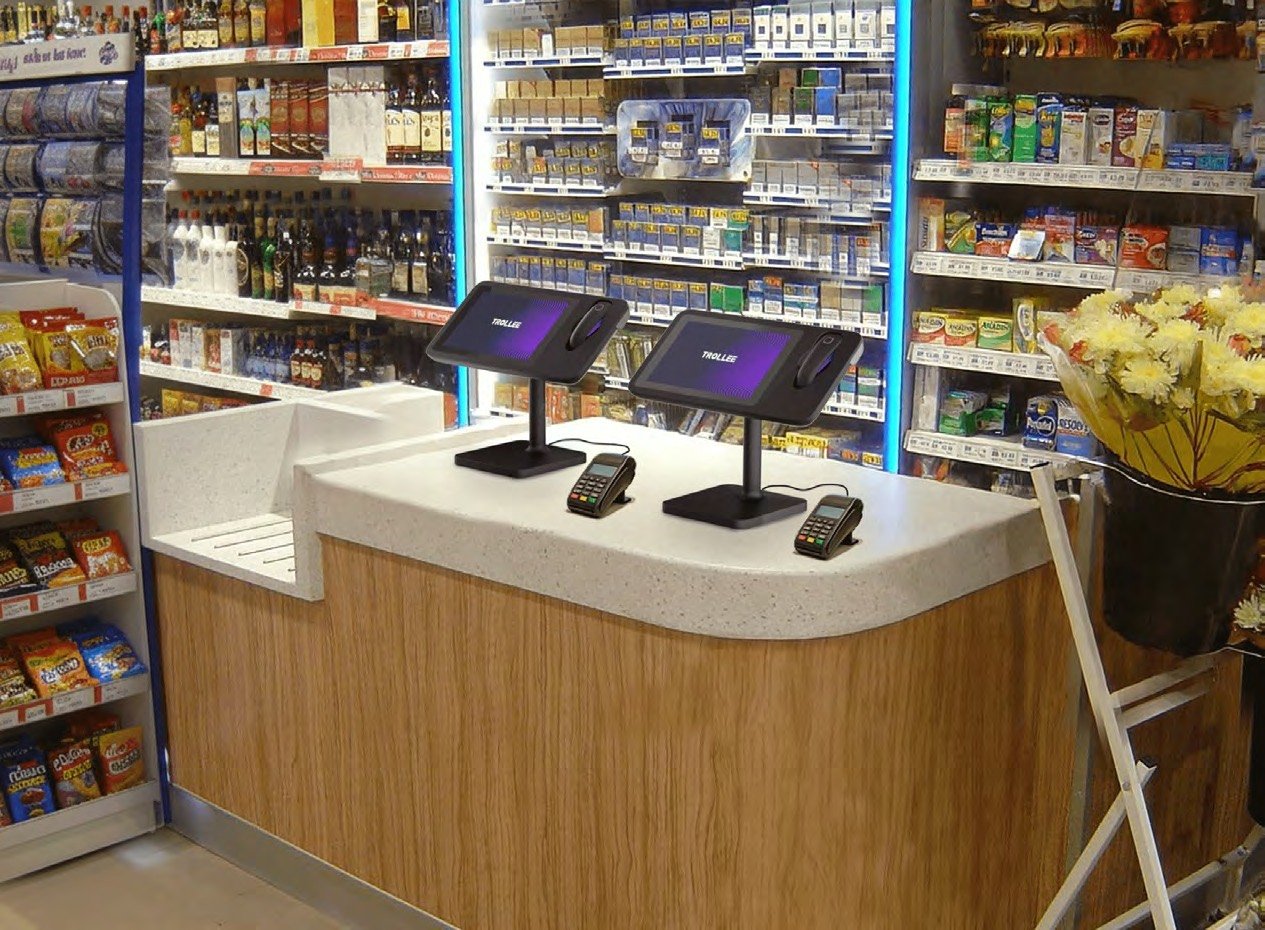
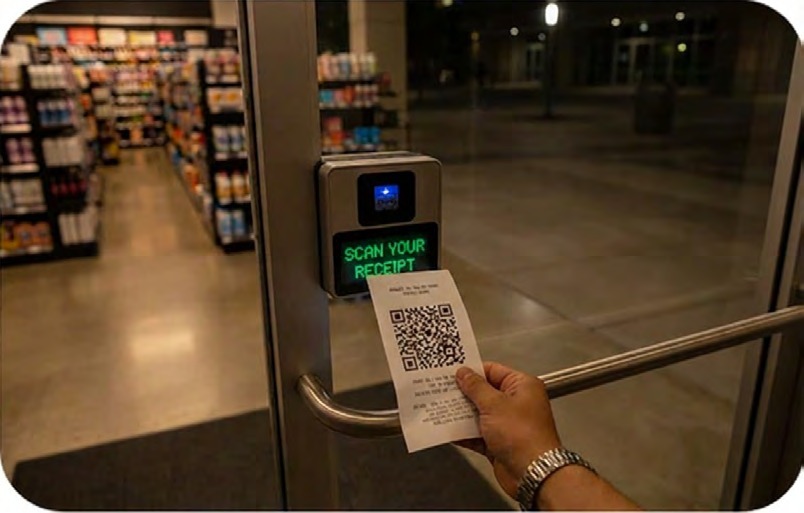
01 / A guided arrival
Your visit starts
Your visit starts
at the door.
The entrance display explains after-hours shopping. Use the configured entry method to verify access and begin your visit.
Behind the experience
The retailer defines the verification method and access rules for after-hours entry.
02 / Shop with assistance
Find your everyday
Find your everyday
essentials.
Browse the store and ask Ollie for product guidance or help. The shopping experience can draw on the retailer's connected product and promotion information.
Behind the experience
AI touchpoints provide guidance, with a route to remote assistance when needed.
03 / Cashless self-checkout
Scan your items.
Scan your items.
Complete payment.
Scan items and complete payment at Neo Lite. Configured checks can help surface scan mismatches and guide corrections.
Behind the experience
Checkout events and supported alerts can be made available to remote operators.
04 / Complete the visit
Receipt ready.
Receipt ready.
On your way.
After payment, collect the receipt or exit QR code and scan it at the gate to complete the visit.
Behind the experience
Exit controls and emergency-exit behavior are configured and validated for the location.
Help within reach
A little guidance.
Right when it matters.
Finding a product and finishing a purchase should feel straightforward after hours. Ollie helps shoppers find items, discover what goes well together and see the retailer's approved offers, with a route to a remote person when the question needs more help. Guidance that helps shoppers choose also creates opportunities for additional sales after hours.
Ollie
Shopping assistance · example conversations
Where can I find oat milk?
Look in the chilled drinks section. Check the shelf labels for available oat milk options.
Product guidance depends on the retailer's connected catalog and store information.
What goes well with this pasta sauce?
It goes well with dried pasta and grated parmesan, both in the same aisle. Would you like to compare the pasta options?
Pairings and comparisons come from the retailer's connected catalog.
Are there any offers on drinks?
Selected drinks are part of this week's offer. I can show you which ones are included, or compare them by size.
Offers come from the promotions the retailer approves. Suggestions can also appear at checkout where the configuration supports them.
I need help checking out.
Place each item in the scanning area and follow the on-screen instructions. If an item doesn't register, use the help option for assistance.
Instructions are configured for the checkout equipment and store workflow.
Can I speak to someone?
Use the customer-support option at the checkout or the store intercom to request remote assistance.
Live support availability and response procedures are defined by the operating team.
AI guidance and a path to human assistance

A direct path to help.
The store intercom provides another touchpoint for requesting remote assistance.
Neo Lite · Scan verification
A second look.
A clearer checkout.
Self-checkout needs a way to catch mistakes. Vision-based checks can prompt a correction and bring unresolved issues to remote support.
Scan verification examples
Click to compare
Item match
The item matches the scan.
The example shows the scanned product and the placed item matching, so the shopper can continue checkout.
The next step
Continue scanning the basket and follow the payment instructions.
Product mismatch
The product needs a check.
The example shows a difference between the product scanned and the item placed in the checkout area.
The next step
Prompt the shopper to check and rescan the product. If the mismatch remains unresolved, route the issue for remote review.
Quantity mismatch
The count needs a check.
The example shows a discrepancy between the scanned quantity and the items placed in the checkout area.
The next step
Ask the shopper to check the quantity or rescan, with remote assistance available through the configured workflow.
Remote operations
Interactive demo
Cloud monitoring views
Click a view
Alert review · examine flagged activity and available context. Store view · review a selected camera view within the monitoring console. Multiple stores · see activity and flagged events across locations.
Ready to explore
A shopper reaches checkout.
A scan mismatch needs help beyond the on-screen prompt. Follow the issue through remote review and assistance.
- Neo Lite checkout
- Remote assistance
Potential mismatch
One item needs another look.
A configured checkout check flags a possible item mismatch. The shopper receives a prompt to check or rescan the item.
- Neo Lite checkout
- Remote assistance
Operator review
Context reaches the support team.
The operator reviews the available checkout event and camera context to understand what the shopper needs.
- Neo Lite checkout
- Remote assistance
Assistance in progress
A person helps move things along.
Remote assistance guides the shopper to rescan the item and confirm the basket before completing payment.
- Neo Lite checkout
- Remote assistance
Resolved · recorded
The visit continues. The record stays.
With the issue addressed, the shopper completes checkout. The configured event and response history remain available for review.
- Neo Lite checkout
- Remote assistance
Ready to explore
A shopper can't get in.
Entry verification keeps failing at the door after hours. Follow the exception from alert to record.
- Verified entry
- Store intercom
Access exception
The entrance raises an alert.
Repeated failed verification attempts, or a door that doesn't respond as expected, raise an alert for the remote team.
- Verified entry
- Store intercom
Operator review
The operator sees the entrance.
The alert arrives with the entrance camera view, the event time and the entry attempts, so the operator can tell a device fault from a verification issue.
- Verified entry
- Store intercom
Assistance in progress
Help through the intercom.
The operator speaks with the shopper through the intercom and, where the retailer's permissions allow, resolves entry remotely. Anything outside those permissions goes to the responsible team.
- Verified entry
- Store intercom
Resolved · recorded
The exception stays on record.
The event, the camera context and the response are logged, so the retailer can review repeated issues at an entrance.
- Verified entry
- Store intercom
Ready to explore
A checkout stops responding.
A self-checkout terminal goes offline while a shopper is using it. Follow the fault from alert to follow-up.
- Neo Lite checkout
- Equipment alerts
Equipment alert
The device reports a fault.
Connected store equipment reports its status, so a terminal that stops responding raises an alert for the remote team.
- Neo Lite checkout
- Equipment alerts
Operator review
The operator sees what is affected.
The alert identifies the store and the device, with camera context showing whether a shopper is mid-checkout.
- Neo Lite checkout
- Equipment alerts
Assistance in progress
The shopper is helped. The fault is passed on.
The operator guides the shopper through the intercom, takes the terminal out of service where the retailer's permissions allow, and passes the fault to the responsible maintenance team.
- Neo Lite checkout
- Equipment alerts
Resolved · recorded
The fault stays on record.
The alert, the response and the hand-off are logged for the maintenance team and for review across stores.
- Neo Lite checkout
- Equipment alerts
Ready to explore
Someone in the store needs urgent help.
A shopper uses the emergency button after hours. Follow the incident from alert to record.
- Emergency button
- Store cameras
Safety alert
The call reaches the support team.
An emergency button, a smoke or fire alarm, or a camera-flagged safety event raises a priority alert for the remote team.
- Emergency button
- Store cameras
Operator review
The operator sees the scene.
The live camera view, the event time and the store location arrive together, so the operator understands the situation before responding.
- Emergency button
- Store cameras
Escalation in progress
The right people are called in.
The operator speaks into the store through the intercom and escalates to on-site security, a site control room or emergency services, as the retailer's procedures define.
- Emergency button
- Store cameras
Recorded
The response stays on record.
Video, event times and the response are kept together for review, with retention and access set by the retailer.
- Emergency button
- Store cameras
0 / 4 steps
1 / 4 steps
2 / 4 steps
3 / 4 steps
4 / 4 steps
The operator's view
See the issue.
Support the shopper.
After hours, one shared team can support several stores. Alerts from every location queue by priority and arrive with context: video, the event time and, at checkout, the items involved. The retailer sets what the team can do remotely and who responds on site.
Follow an incident
Click to compare
The systems behind the experience
Connected at the store.
Coordinated across locations.
TROLLEE supplies the retail applications and the workflows that run the store. The VeeaONE Platform™ supplies the connectivity, local computing, security and remote management underneath them. Retailers and operating partners connect their own systems and decide how each store is run.

Connect and protect store devices, run supported applications locally, and manage the infrastructure across locations.
Retailer & partners
Connect catalog, POS, membership and payment systems. Define support coverage, escalation, replenishment and day-to-day store responsibilities.
In each store
Local where it counts.
VeeaHubs connect the store's devices and run supported applications on site. Where AI inference or video analytics needs more capacity, supported third-party compute such as NVIDIA Jetson adds it.
Across locations
Managed from one place.
Applications and AI models can be deployed and updated remotely across locations, with each store's connectivity, security and computing managed centrally.
For the retailer
Ready for the next store.
Less integration work at each new site, local processing where response time or data control matters, and room to add capacity as needs grow. Retailer policies set what is processed in the store and what is shared.
Before the first night
The practical
questions.
Start with one store
Plan your first
after-hours store.
Start with one location and a defined after-hours schedule. Together, we can scope the customer journey, operating responsibilities and measures that determine whether to expand.
01 / Bring
Your first store
Layout, proposed store hours, current systems and the team responsible for operations.
02 / Define
The operating model
Entry and payment flows, support coverage, escalation and connectivity contingencies.
03 / Measure
The case to expand
After-hours sales, support workload, checkout exceptions and shopper satisfaction.