


VeeaONE Developer Platform
Build at the edge.
Operate as one platform.
Build and deploy containerized applications using familiar Docker workflows. Run them on VeeaHubs and qualified Linux, Ubuntu and NVIDIA Jetson systems — all managed through the VeeaONE Platform™.
Explore the public documentation before requesting developer access.

Cameras, sensors, controllers and other connected systems generate data onsite. Running selected workloads locally can reduce latency, limit unnecessary data movement and keep essential functions operating during WAN interruptions.
VeeaONE provides centralized deployment and management across VeeaHubs and qualified runtime targets while applications continue operating at the site.
Use familiar Docker workflows to create multi-architecture container images and deploy them through VeeaONE. Choose a VeeaHub or qualified runtime target based on the compute, storage, acceleration and interfaces the application requires.
- vhc2
- docker buildx
- linux/amd64
- linux/arm/v7
- linux/arm64/v8
- Secure registry
- Local registry for development
Once, at deploy timeDeployments and updates
- VeeaHubNative edge target
- Linux / Ubuntux86-64, physical or VM
- NVIDIA JetsonOrin on JetPack 6.2.1
- Native Veea edge services
- Managed hub runtime
- Mesh-aware operation
- Control Center visibility
- General-purpose compute
- Storage-heavy workloads
- Connectors and backend services
- Site-adjacent capacity
- GPU-backed local inference
- Vision workloads and video analytics
- Robotics
- Real-time AI services
The loop closes here, on this side of the line
From the running container — not on the request path
Change the runtime target and the development workflow remains familiar. The target may provide different capabilities, but the application is built, published and deployed using the same container-based approach. Once running, it can process data and interact with devices locally while remaining centrally managed through VeeaONE.
Applications can run on VeeaHubs and qualified third-party runtime targets. When an application runs on a VeeaHub, it can also use documented platform interfaces to work with the hub’s integrated connectivity, networking and device capabilities.
Depending on the VeeaHub model and configuration, that can include Wi-Fi, Bluetooth, cellular connectivity, serial interfaces, local storage, network services and application-lifecycle controls.
Wireless and radios
- io.veea.VeeaHub.NetworkControl.WiFi
- .WiFi.DataElements
- .Wireless.Stats
- .BluetoothConfig
- .BluetoothMonitor
- .Cellular.Status
Network services
- .Networking
- .ReverseProxy
- .MqttControl
Hardware and device I/O
- .HardwareControl.SerialPort
- .HardwareMonitoringDaemon.Container
Platform and lifecycle
- .Info
- .DateTime
- .Licenses
- .ContainerControl
- .SystemConfiguration.Containers
VeeaHub identifies the calling container and applies its permissions before providing access to supported hardware and platform services.
These documented interfaces allow applications to work with supported VeeaHub services and hardware. Available capabilities depend on the VeeaHub model, configuration and application permissions.
VHT 2.0 Recommended for new development
The Docker-native toolkit for building, testing and deploying containerized applications across VeeaONE runtime targets using familiar Docker workflows.
- Docker contexts, Compose and Stack
- Multi-architecture builds with Docker Buildx
- VHT tools for development and runtime-target operations
- Validation workflows and complete command documentation
VHT 1.x Legacy application support
VHT 1.x remains available for existing VeeaHub applications. VHT 1.x and VHT 2.0 applications can operate on the same VeeaHub Mesh, allowing teams to adopt the newer workflow without immediately rewriting existing applications.
- Continued support for existing VHT 1.x applications
- Signed-image, feature-license and template workflows
- The legacy VeeaHub Client command-line utility
- Reference documentation and worked examples
-

The VeeaONE Platform
See how VeeaONE Runtime, VeeaCloud, Control Center and native edge services work together to deploy and manage applications across distributed sites.
Learn more -
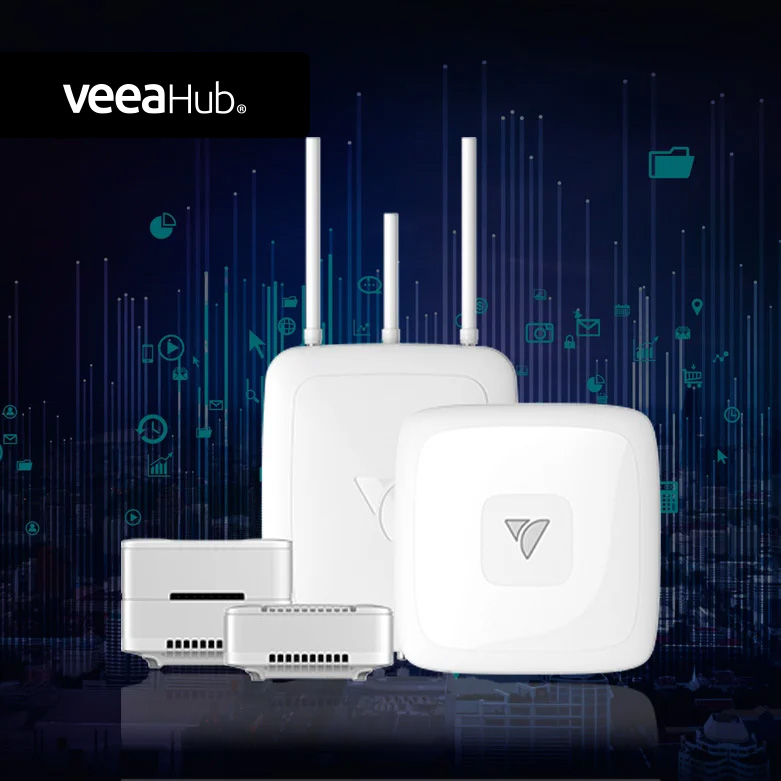
VeeaHub hardware
One of several supported runtime targets: STAX, Pro and Pro Outdoor, indoors and out, meshed and managed from one console.
Learn more -

Enabling Technologies
Explore Edge AI, cybersecurity, containerized Niagara and other capabilities available for building solutions at the edge.
Learn more