
Get started with Veea

Tell us about your sites and what you want to run on them, and a Veea team member will follow up.

Prefer the full page? Go to Contact.

VHE09 · VHE10 · VeeaONE Platform™

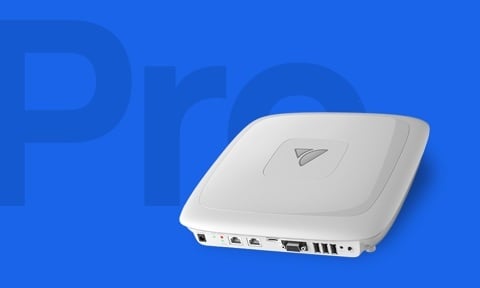
VeeaHub Pro
and Pro S

VeeaHub Pro and Pro S combine indoor networking, device connectivity and containerized edge computing with Ethernet, USB and serial interfaces for existing building equipment.

Choose Pro for optional LoRaWAN connectivity or Pro S for additional memory options and a dedicated 5 GHz radio for vMesh.
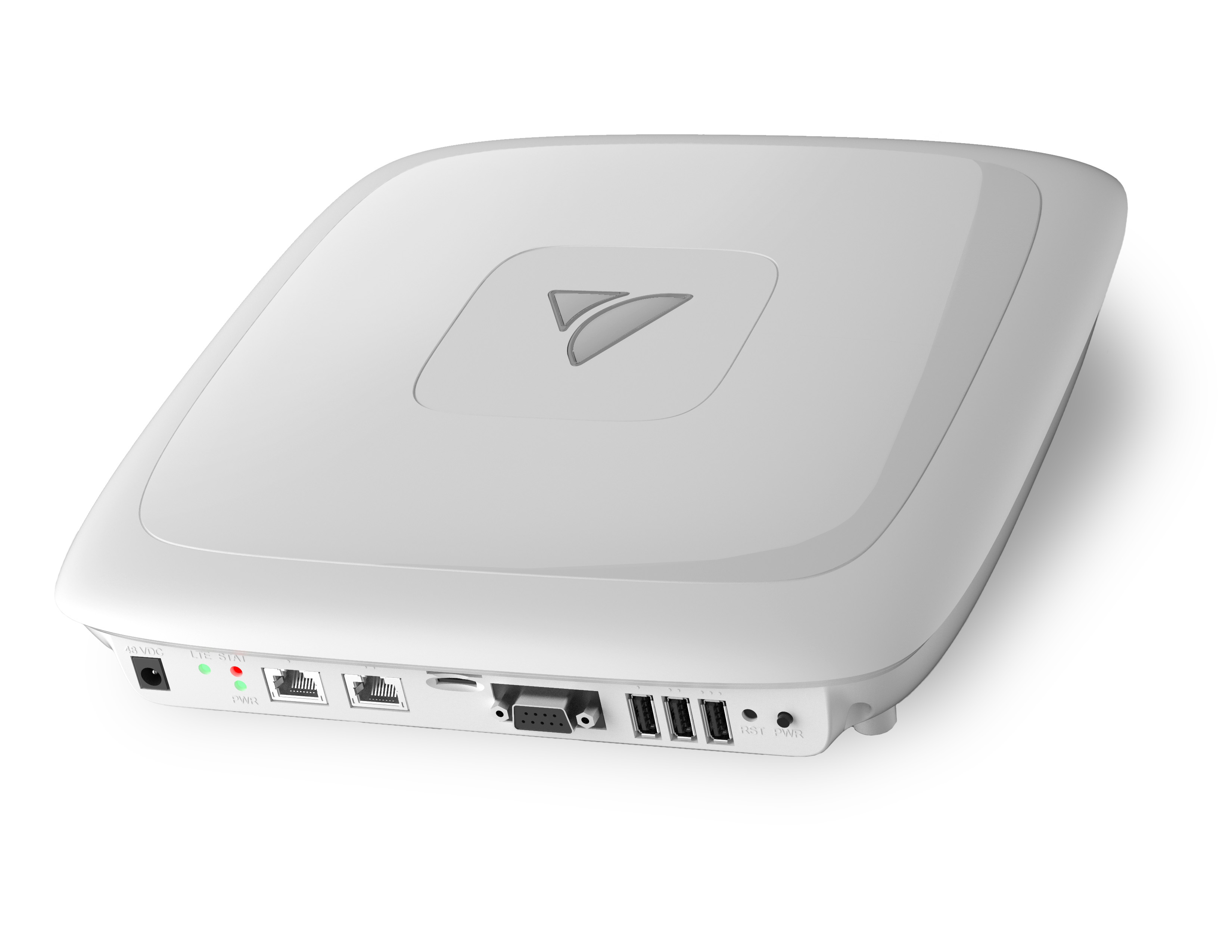
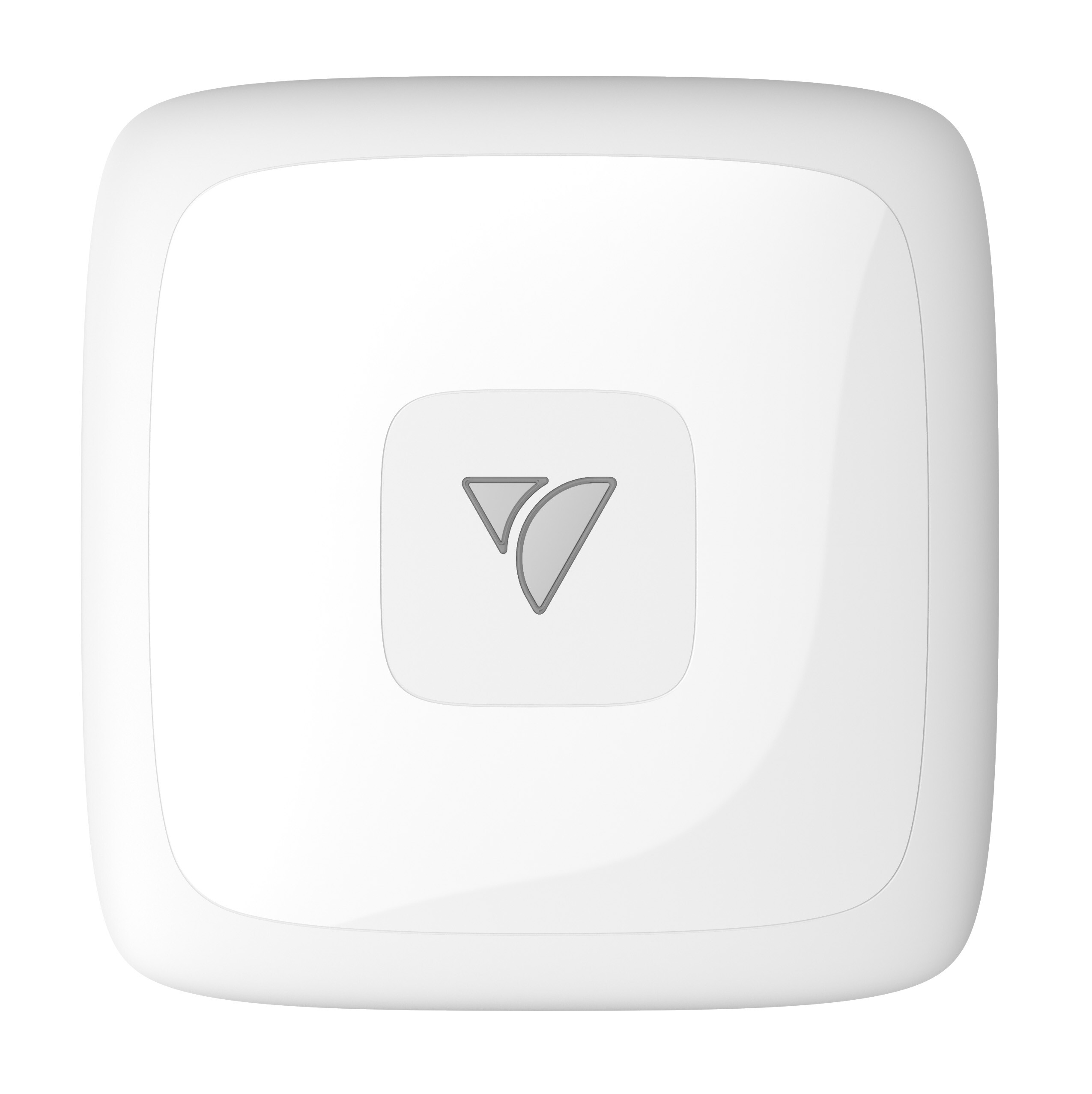
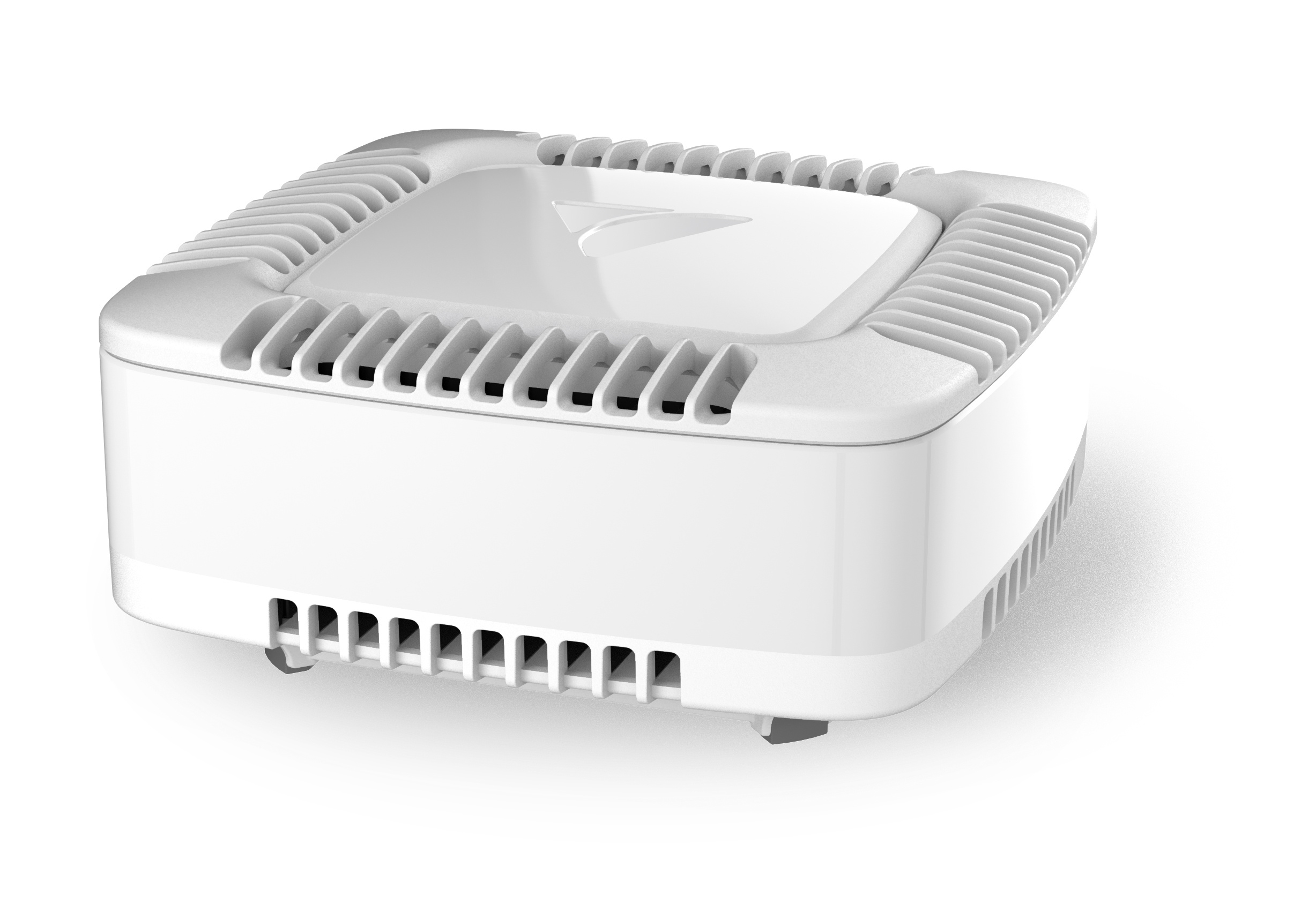
A VeeaHub Pro: a white, silent, square indoor enclosure. VHE09 and VHE10 share this chassis.
  • Wi-Fi 5
  • 4x4:4
  • 1733 Mbps
  • PoE 802.3bt Type 3
  • 5GBASE-T
  • USB 3.0
  • RS232 / 422 / 485
  • Zigbee 3.0
  • Thread
  • Bluetooth LE
  • LoRaWAN
  • vMesh
  • 12 SSIDs
  • 128 clients per radio
  • Docker containers
  • 0 to 50 °C
At a glance

Indoor edge infrastructure for existing buildings

  • Connect existing equipment

    Ethernet, USB and serial interfaces connect supported building systems, controllers, sensors and other local equipment.

  • Serve clients and the mesh

    Enterprise Wi-Fi supports local devices, while Pro S provides a separate 5 GHz radio that can be dedicated to vMesh.

  • Run applications locally

    Integrated Linux-based compute runs approved, signed containerized applications close to connected equipment and data.

  • Install without special cooling

    The fanless enclosure can be mounted on a desk, ceiling or wall and powered through 48 VDC or supported PoE.

Interfaces for existing infrastructure

  • PoE Ethernet

    1 × Gigabit Ethernet with PoE 802.3bt Type 3 support for combined power and network connectivity.

  • Multigigabit Ethernet

    1 × Ethernet port supporting 10/100/1000 Mb/s, 2.5 Gb/s and 5 Gb/s, configurable for LAN or WAN use.

  • USB 3.0

    3 × USB Type-A ports for supported peripherals, storage and equipment integrations.

  • Serial

    1 × 9-pin interface supporting RS-232, RS-422 and RS-485 equipment.

Advantages

Bring networking, computing and integration together

  • What you get Consolidate site infrastructure
    Challenge Wi-Fi, device connectivity and local applications may require separate systems, power supplies and management tools.
    With VeeaHub Pro One integrated system can provide wireless access, device connectivity and containerized edge computing, depending on the deployment requirements.
  • What you get Extend coverage with vMesh
    Challenge Adding coverage can require additional network connections and site work.
    With VeeaHub Pro Additional VeeaHubs can connect through wired or wireless vMesh. Wireless mesh can reduce new data cabling, although every unit still requires power and appropriate site planning.
  • What you get Connect existing equipment
    Challenge Serial controllers, meters and other established equipment can be difficult to integrate with modern applications and centralized management.
    With VeeaHub Pro Supported RS-232, RS-422 and RS-485 equipment can connect to applications running locally on the VeeaHub, subject to the required software, drivers and integration.
Wi-Fi and vMesh

Shared radio or dedicated mesh capacity

VeeaHub Pro and Pro S both support client access and vMesh. The difference is how their 5 GHz radios are allocated.

Radio configuration
Compare radio configurations
VeeaHub Pro · VHE09 Shared 5 GHz radio One 5 GHz 4×4:4 radio supports client access and wireless vMesh traffic. Best suited to deployments using a wired uplink or where client and mesh traffic can share the same radio.

5 GHz — clients and vMesh

4x4:4 · 20, 40 or 80 MHz

2.4 GHz — clients

2x2:2 · up to 300 Mbps

VeeaHub Pro S · VHE10 Dedicated 5 GHz mesh radio Two independent 5 GHz 4×4:4 radios allow client access and wireless vMesh traffic to use separate radios. Best suited to deployments where wireless mesh capacity must be maintained without sharing the client-access radio.

One 5 GHz radio — clients

4x4:4 · 20, 40 or 80 MHz

A second 5 GHz radio — vMesh

4x4:4 · 20, 40 or 80 MHz

2.4 GHz — clients

2x2:2 · up to 300 Mbps

Actual wireless capacity depends on channel width, regulatory domain, interference, client capabilities and network design.

Choose a model

VeeaHub Pro or Pro S

Both models use the same indoor enclosure, building interfaces and VeeaONE management environment. Choose between them based on LoRaWAN requirements, Wi-Fi radio configuration and memory.

VHE09VeeaHub Pro

Best suited to indoor deployments requiring optional LoRaWAN connectivity.

  • One 5 GHz 4×4:4 radio shared by client access and wireless vMesh
  • Up to 8 SSIDs across the Wi-Fi radios
  • 2 GB of memory, with a 4 GB option
  • Optional LoRaWAN at supported regional frequencies
  • Optional 4G LTE connectivity with GNSS

VHE09 datasheet

VHE10VeeaHub Pro S

Best suited to deployments requiring dedicated wireless mesh capacity or additional memory.

  • Two independent 5 GHz 4×4:4 radios
  • Client access and wireless vMesh can use separate radios
  • Up to 12 SSIDs across the Wi-Fi radios
  • 4 GB of memory, with an 8 GB option
  • Optional 4G LTE connectivity with GNSS

VHE10 datasheet

Technical specifications

VeeaHub Pro and Pro S specifications

Compare the compute, wireless connectivity, interfaces, power requirements and environmental specifications of VHE09 and VHE10.

Specifications and available configurations are subject to change. Cellular options, LoRaWAN frequencies, certifications and ordering availability vary by country.

Specification VeeaHub Pro VHE09 VeeaHub Pro S VHE10
Compute
Processor Arm ARMv8, quad-core at 1.5 GHz
Hardware acceleration Cryptography engine
Memory 2 GB PCDDR4, with a 4 GB option available 4 GB PCDDR4, with an 8 GB option available
Internal storage 32 GB eMMC flash
External storage Up to 2 TB via microSDXC
Software environment Linux server with a virtualized environment for secure Docker containers, Software Defined Networking (SDN) and Network Function Virtualization (NFV)
Wi-Fi
Standard and bands
Wi-Fi standard Dual-band IEEE 802.11 a/b/n/ac Tri-band IEEE 802.11 a/b/g/n/ac
Frequency bands 2.4 to 2.484 GHz (ISM); 5.17 to 5.25 GHz (U-NII-1); 5.25 to 5.33 GHz (U-NII-2); 5.49 to 5.73 GHz (U-NII-2e); 5.73 to 5.83 GHz (U-NII-3)
Bandwidth 20, 40 and 80 MHz
Radio chains and peak PHY rates
2.4 GHz radio 2x2:2, up to 300 Mbps
5 GHz radios One 4x4:4 radio at 5.2 GHz, up to 1733 Mbps, carrying client access and vMesh Two independent 4x4:4 radios, 5.1 to 5.3 GHz and 5.4 to 5.8 GHz, each up to 1733 Mbps
RF configuration 2 internal antennas at 2.4 GHz; 4 internal antennas at 5 GHz
Capacity, security and roaming
SSID management 8 SSIDs, 4 per Wi-Fi radio 12 SSIDs, 4 per Wi-Fi radio
Capacity 128 clients per radio
Wi-Fi security WPA-PSK, WPA-TKIP, WPA2 AES, WPA3, 802.11i; SSID (AP isolation); dynamic PSK
Other Wi-Fi features Channel selection (DFS/ACS); device roaming (802.11r); AP and hotspot modes
IoT and short-range radios
Bluetooth Bluetooth Classic 4.2; Bluetooth 5.x (Bluetooth Low Energy)
Zigbee Zigbee 3.0, Zigbee Pro
Thread Supported (Thread / 6LoWPAN)
WAN and LoRaWAN
4G / LTE module (optional)
LTE category CAT-4
GNSS Supported with the 4G / LTE module
SIM External uSIM tray
LoRaWAN (VHE09)
LoRaWAN connectivity Optional module
Available frequencies 900 MHz, 868 MHz, 470 MHz
Ports and interfaces
Ethernet
Port 1 1x 10/100/1000 Base-T with PoE support
Port 2 1x 10/100/1000/2.5G/5G Base-T
Power over Ethernet Supported on Ethernet port 1 (802.3bt Type 3)
Local interfaces
USB 3x USB 3.0 Type A
Serial RS232 / 422 / 485: 1x 9-pin D-type
Removable storage microSDXC slot
Controls and indicators
Buttons Power button; reset button
Status indicators Multi-color status LED on the front panel; status LEDs on the side panel
Networking, management and applications
Mesh Wired or wireless with vMesh technology
IP IPv4, IPv6, dual-stack
Network security Stateful firewall; 802.1Q VLAN; 802.1x; VxLAN
Management Veea Control Center; VeeaHub Manager
Cloud Veea Cloud
Applications Containerized applications; VeeaHub Developer Toolkit
AI workflows Support for no-code AI workflows
Power, physical and environment
Power
Power supply 48 VDC at 1.5 A
Power over Ethernet 802.3bt Type 3 on Ethernet port 1
Typical power consumption 60 W
Physical
Dimensions (L x W x H) 280 mm x 275 mm x 61 mm
Weight 2.5 kg
Color White
Mounting options Desk; ceiling; wall
Environment
Operating temperature 0 °C to 50 °C
Cooling Fan-less; no special cooling required
Installation Indoors
Compliance and ordering
Electrical certifications FCC / CE / KC / SSRC / UL
Model number VHE09 VHE10
Optional accessories VeeaCare packages; mounting bracket
Warranty Limited device warranty, with VeeaCare extended warranty packages available

Specifications for the VeeaHub Pro (VHE09) and VeeaHub Pro S (VHE10) are subject to change without notice. Country-specific regulatory information is available upon request.

Questions

Questions before deploying Pro or Pro S

Can I power it using an existing Ethernet cable?

Potentially. Both models support PoE 802.3bt Type 3 on the Gigabit Ethernet port. The installed cable, power-sourcing equipment and available power class must meet the system requirements. A 48 VDC supply can also be used.

What existing equipment can I connect?

Both models provide three USB 3.0 Type-A ports and one 9-pin interface supporting RS-232, RS-422 and RS-485. Compatibility depends on the equipment, application, drivers and required integration.

How can I extend coverage?

Additional VeeaHubs can connect through wired or wireless vMesh. Wireless mesh can reduce new data cabling, but every unit still requires power, appropriate placement and network planning.

Can I run my own software?

Yes. Developers can build supported containerized applications using Veea development tools. Applications must be approved, signed and compatible with the selected model's processor, memory, storage and interfaces before deployment.

What does the LoRaWAN option add?

VeeaHub Pro can be configured with LoRaWAN connectivity at supported regional frequencies, allowing compatible long-range, low-power sensors to connect with applications running on the hub. Availability depends on the model configuration and country.

Choose the right indoor edge system

Tell us about the existing network, available power, equipment interfaces, LoRaWAN requirements, wireless mesh design and applications that need to run locally. We'll help you confirm the appropriate Pro or Pro S configuration—or identify a better hardware option if the requirements call for something different.